


UPS
4.548.66K Reviews
App Specs
- Version
- 10.33.1.9
- Updated On
- License
- Free
- Downloads
- 10,000,000+
- Developer
- UPS
- Categories
- Business
- Platform
- Android, iOS
Screenshots
 Analysis by AppCompare
Have you ever found yourself anxiously waiting for a package and wishing you could track it every step of the way? Well, that's where the UPS app comes in. I gave it a whirl to see if it lives up to the hype and here’s my take.
First Impressions and Features
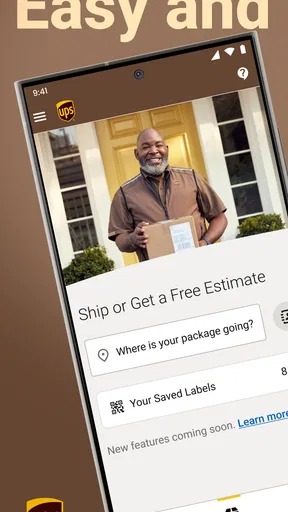
Downloading and setting up the UPS app was a breeze. Right from the start, the interface is sleek and user-friendly. If you're like me, you don't have time to fumble around trying to figure out where everything is. The app makes it super easy to track shipments, find UPS locations, and even calculate shipping costs.
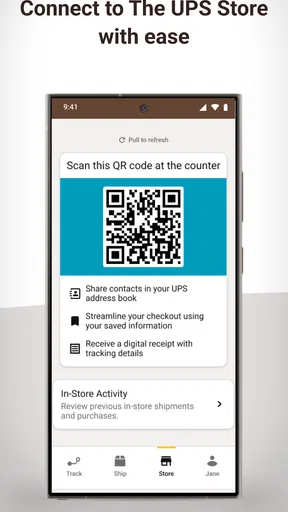
One thing that stood out is the ability to create a My Choice account. This nifty feature lets you personalize deliveries, get delivery alerts, and even sign for packages digitally. It's like having your own personal delivery concierge!
Tracking and Notifications
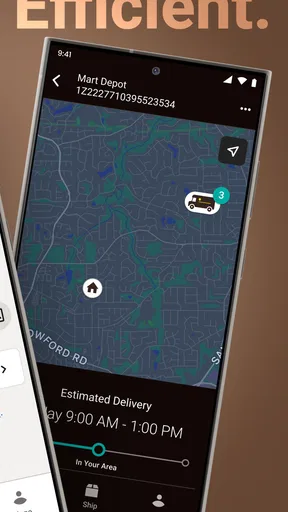
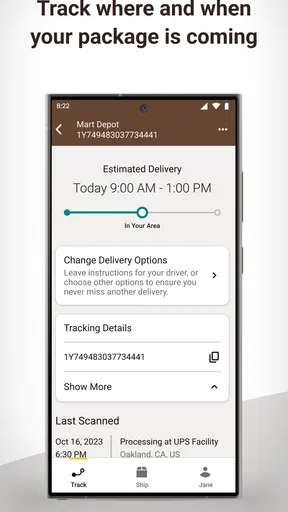
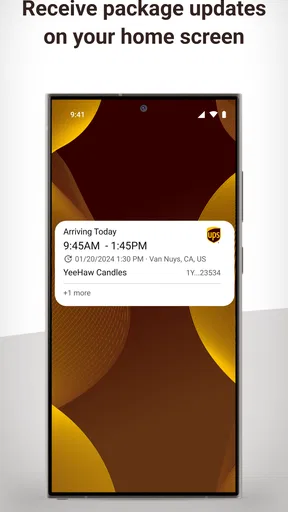
Tracking packages is the main reason anyone would use the app, and boy, does it deliver. You can see exactly where your package is at any given moment. The real-time updates and notifications are fantastic. I never had to wonder where my package was because the app kept me in the loop. In a world where patience is a rare commodity, this is a game-changer.
User Interface and Experience
The app’s design is intuitive. Everything is laid out logically, and I never felt lost or confused. A simple tap here, a swipe there, and you're set. Plus, the app is pretty lightweight, so it doesn’t hog your phone’s resources. That's a big win if you’re juggling multiple apps like me.
Extra Features Worth Mentioning
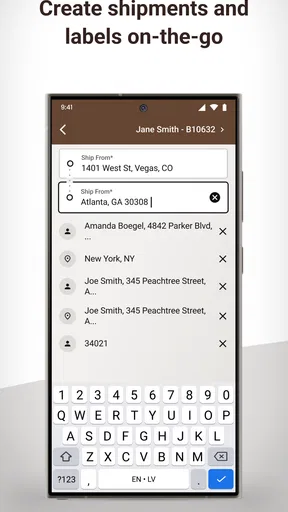
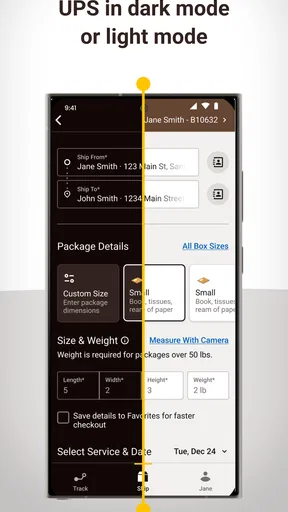
Apart from tracking, the app provides a bunch of extra features that can come in handy. For instance, you can estimate shipping costs, which is perfect if you're planning to send gifts or goodies. There’s also a feature to scan labels, which I found surprisingly useful when I had to return an item.
And let's not forget the ability to find the nearest UPS location. Whether you’re on the move or need to drop off a package, the app’s location finder points you in the right direction.
Worth Reading Before You Choose

Flipboard Shows What News Apps Must Do Beyond the Feed

Switching to Android Auto Means Rethinking Your Driving Routine

Google Calendar Makes a Crowded Week Easier to Manage

Ludo King Makes the Most of the Minutes Between Plans

Baby Panda World Brings Quick Play to Modern Phones, but Its Game Library Feels Busy

ESPN’s Live Game View Makes Following Close Games Easier
Final Thoughts
After spending some quality time with the app, I can safely say it's a must-have for anyone who frequently ships or receives packages. The combination of ease of use, real-time tracking, and extra features makes it a standout in the sea of apps available today.
If you're tired of the delivery guessing game, give the UPS app a try. It might just become your new best friend in the world of shipping and receiving. Trust me, you won’t want to go back to the old way of doing things!
Pros
- Real-time package tracking available.
- User-friendly interface simplifies use.
- Push notifications for updates.
- Multiple delivery options offered.
- Secure login with biometrics.
Cons
- Occasional app crashes reported.
- Limited features without account.
- No dark mode available.
- Requires constant internet connection.
- In-app ads can be intrusive.
FAQs for UPS
What features does the UPS app offer for tracking packages?
The UPS app provides real-time tracking of your packages with detailed updates on location and delivery status. Notifications can be set up for status changes, and you can also view your shipment history. The app also offers features like address book management and package hold requests.
Is the UPS app available for both Android and iOS devices?
Yes, the UPS app is available for both Android and iOS devices. It can be downloaded from the Google Play Store for Android users and the Apple App Store for iOS users. The app is free to download and use, offering a consistent user experience across platforms.
Can I use the UPS app to manage multiple shipments at once?
Absolutely. The UPS app allows users to manage multiple shipments simultaneously. You can track multiple packages, create shipments, and schedule pickups all within the app. This feature is particularly useful for businesses or individuals handling several parcels at a time.
How secure is my personal information on the UPS app?
UPS takes user security very seriously. The app uses encryption protocols to protect your personal information, including your shipment details and payment information. Additionally, users are encouraged to use strong passwords and enable two-factor authentication for added security.
What should I do if there are issues with the app or my shipment details?
If you encounter any issues with the app or shipment details, you can contact UPS customer support directly through the app. There's a dedicated support section that provides contact options, including phone and email. The app also includes a help center with FAQs and troubleshooting tips.


